16 No-cost Online Systems To Grow Businesses
16 of Coach Maria’s Favorite Web Things
These are a few of my favorite web things. They are no-cost to you, however, there is an investment of your time involved if you learn how to use each item and then time to use them!
Xenu
Purpose: Checks all the links on a page or website. Then you can manually fix the links that are broken.
Use: Download it to your computer. Check a whole website or a page you desire.
http://home.snafu.de/tilman/xenulink.html
Microsoft Templates
Purpose: Systematize your business by using these templates in whole or in part in your business.
Use: Visit the site, do a search for what you’re looking for or search to get ideas of what you need to systematize!
https://templates.office.com/
Microsoft Backup for Outlook
Purpose: To make it easier to backup the main files and folders in Outlook for safe keeping.
Use: Follow the directions after you run the program. It will appear in the FILE area of your program as “Backup”
http://office.microsoft.com/en-us/outlook/ha010875321033.aspx
Microsoft PDF Maker for Office 2007
Purpose: Easily save files in a type of file that are easily opened and then read by both PC’s and Mac’s.
Use: It’s easier to send files through email this way. PDF versions of files makes it a “bit” more difficult for thieves to steal your work.
http://www.microsoft.com/downloads/details.aspx?FamilyID=4d951911-3e7e-4ae6-b059-a2e79ed87041&displaylang=en
Microsoft Training
Purpose: Learn how each program we use can work even more to our advantage.
Use: Listen to the audio’s or read the training materials, do the practices, use the features.
http://office.microsoft.com/en-us/training/default.aspx
Google Analytics
Purpose: Analyze your traffic data in an entirely new way. Learn what’s working or not working on your websites.
Use: Put a code in the main folder of your website. Read and monitor the results.
http://www.google.com/analytics/
Google Keywords
Purpose: To get better keyword ideas to place.
Use: Possibly add the keywords to a pages meta tags, use in the copy of a page and in your Pay Per Click (PPC) ads.
https://adwords.google.com/select/KeywordToolExternal
Browser Shots
Purpose: Browser shots makes screenshots of your web design in different browsers.
use: Add a link to your main website or a web page.
http://www.browershots.org
World Wide Web Consortium (W3C)
Purpose: An international collaboration that helps determine web standards.
Use: Validate the code behind your web pages, also if it has to do with coding of your website, it’s on this site in a tutorial.
http://www.google.com/search?q=site:w3.org&q=validator and
http://www.w3.org/TR/
Alexa
Purpose: A few tools that can help you with your website or viewing competitors websites. Example: view how much traffic a website gets.
Use: Pick the tool you’re looking to use.
http://www.alexa.com/company
Wikopedia
Purpose: Interesting information on just about any topic that is as good as the person providing the information.
Use: Pick a language, research.
http://www.wikipedia.org/
The Resource Queen
Purpose: It’s like having a search engine just for business and marketing issues; I use it and update it often.
Use: New? Subscribe. Then click on the links on the top of the page, put in the password/id and locate resources.
http://www.TheResourceQueen.com
CSE Lite
Purpose: Check spelling and coding of a page of your website. Has a feature for checking “many” pages at a time that you enter into the program.
Use: You can use it directly from your website URL or (best) the website page back-up you have on your computer.
http://www.TheResourceQueen.com
Search Engine Spider Simulator
Purpose: Displaying the contents of a webpage exactly how a Search Engine would see it.
Use: Enter a website, wait for the results.
http://www.webconfs.com/search-engine-spider-simulator.php
Xobni
Purpose: Plug-ins for Outlook and Salesforce helps you to manage relationships.
Use: A way to connect by picture, etc. another way with people you don’t know or do know who email you.
http://www.xobni.com/
Way Back Machine
Purpose: Although I’ve kept most of my website pages, sometimes I lose information and can find it here.
Use: Find s file on an old website; get some laughs. View old version of competitors websites.
http://web.archive.org/web/*/http://www.coachmaria.com
What’s Your Favorite Resource?
Did I miss your favorite no-cost resource? Like or don’t like a resource from this list? Tell Maria what you really think by clicking here!
(c) 2009 Elevating Your Business

About The Author
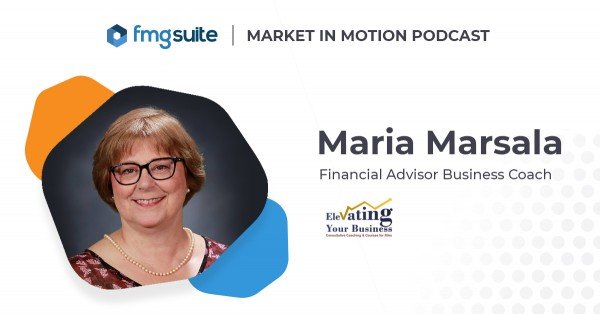
An irrepressible entrepreneur, Maria Marsala sold AVON at age 14 and landed on Wall Street three years later. She became a bond trader when female executives were as rare as pink diamonds. For 25 years, Maria streamlined Fortune 500 companies, nurtured non-profits, and discovered her niche—mentoring women CEOs and executives. Armed with corporate secrets and life coach credentials, Maria founded Elevating Your Business to help female financial professionals live better using her proprietary brand of consultative-coaching. Contact Maria today and take the first step toward freedom, full-fillment, and a sparkling quality of life! Contact me now!
Get my latest articles, research, and tools as they are produced. PLUS receive my popular “Niche-Rich Assessment” as a thank you for subscribing.
Featured Event
Affiliate Disclosure
Some of the links listed on this site are affiliate links. If clicked and purchased, we receive compensation for the recommendation.